Elevate your at-home golf practice with durable impact screen frames designed to pair with projector setups and simulated driving ranges. This guide spotlights five top-rated options, focusing on safety, build quality, and ease of setup. Each entry includes a quick overview and practical considerations to help you choose the right enclosure for your space and skill level.
| Product | Brand | Key Features | URL |
|---|---|---|---|
| Golf Cage Net With Simulator Impact Screen Heavy Steel Frame | Not specified | 10 x 7 ft practice cage; high-def impact screen; durable target cloth; weatherproof frame | View |
| Complete Golf Simulator Enclosure Package | ANYTHING SPORTS Store | 4K-ready impact screen; blackout cage; projector mount; easy setup; 12-month warranty | View |
| GoSports Golf Simulator Impact Screen | GoSports Store | 6.5 x 7 ft or 9 x 7 ft options; universal mounting; durable woven polyester backdrop | View |
| Golf Simulator Impact Screen, Premium Triple Layer | Durbles Store | Triple-layer design; HD outer layer; sound-damping middle layer; inner impact layer | View |
| GoSports Range Cage 10×8 ft | GoSports Store | Enclosed net cage; simulator-ready impact screen; reinforced frame; foam-padded base | View |
Note: All products listed are designed to support golf simulators and projectors, with varying frame materials, screen constructions, and installation requirements. When selecting, consider space, ceiling height, projector throw distance, and whether you need portability or a semi-permanent setup.
Golf Cage Net With Simulator Impact Screen

This enclosure combines a spacious 10 x 7 ft practice cage with a high-definition impact screen and a durable target cloth. The frame uses heavy-duty metal poles arranged in a reinforced triangular design, delivering stability for home use and outdoor setups. The 5-ply polyester netting and 600D Oxford fabric are built to withstand various weather conditions, offering a safe, professional-grade practice environment for drives, chips, and approach shots. The included impact screen is designed to resist thousands of high-speed impacts while preserving image clarity for projector-based simulations. The setup is well-suited for home garages, driveways, or backyard spaces where space is available and safety matters.
Key considerations: ensure you have sufficient space for a 10 x 7 ft cage, confirm compatibility with your projector throw distance, and verify that the frame’s finish is rust-resistant if used outdoors. This option emphasizes safety alongside performance and is a strong all-around choice for dedicated home practice areas.
Complete Golf Simulator Enclosure Package

This all-in-one enclosure is designed for serious golfers who want a professional-grade home practice space. It includes a projector mount and all frame poles, delivering a clean visual setup without the complexity of custom builds. Although the turf and projector are not included, the structure provides a sturdy, safe enclosure with a projector-ready configuration for indoor or garage use. The package aims to reduce setup time and maintenance while offering a reliable environment for consistent practice sessions with a 4K-ready display.
Key considerations: check room dimensions and ceiling height to ensure the cage fits, verify the projector distance needed for your screen size, and consider whether you want a more modular or permanent installation. Warranty coverage can add long-term value for frequent use.
GoSports Golf Simulator Impact Screen
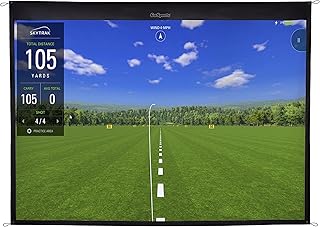
The GoSports impact screen offers two size options (6.5 x 7 ft or 9 x 7 ft) to fit the popular 10 x 7 ft net setups. Constructed from high-density woven polyester, it provides a durable backdrop that withstands real golf balls while delivering a consistent projection surface. The screen is designed for flexibility, with four corner grommets for easy hanging and seamless compatibility with the GoSports ELITE hitting net for a complete simulator experience. It’s a practical choice for homeowners seeking a straightforward upgrade to their existing net cage.
Key considerations: select the size that best matches your enclosure dimensions, ensure your projector’s throw distance aligns with the screen height, and confirm that the mounting method suits your space—wall, ceiling, or freestanding frames are all possible options.
Premium Triple Layer Launch Screen
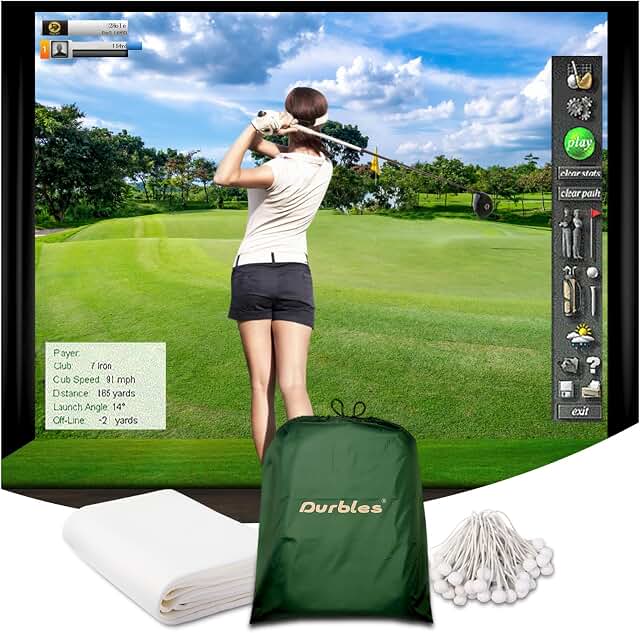
This premium screen uses a triple-layer design to maximize durability and image quality: an HD outer layer, a middle Ultra Sound Damping layer, and an inner impact-resistant layer. The construction is intended for heavy-use environments, including home setups and commercial spaces, providing reliable performance for thousands of ball impacts. The damping layer helps minimize sound and vibration, contributing to quieter practice sessions, which can be advantageous in shared living spaces or multi-room homes.
Key considerations: evaluate the screen thickness and weight for your enclosure frame, verify compatibility with your projector and throw distance, and consider whether the additional damping benefits justify any incremental cost for your practice space.
GoSports Range Cage 10×8 ft

This enclosed net cage is tailored for full-swing practice, including drivers, irons, and wedges, without chasing balls. It features a simulator-ready impact screen that doubles as a sturdy projector backdrop, making it ideal for home setups. The reinforced frame combined with fiberglass poles provides robust support, while a foam-padded base helps absorb impact and reduce rebound. This option emphasizes safety and ball containment, enabling confident practice sessions in tighter spaces or garages with overhead constraints.
Key considerations: ensure the cage footprint fits your room, verify the screen dimensions match your projector’s requirements, and assess the stability of the base in your chosen environment (indoor vs. outdoor use).
Buying Guide: Key Purchase Considerations For Golf Simulator Impact Screen Frames
- Space and layout: Measure ceiling height, width, and depth to confirm whether you need a compact enclosure or a full-size cage. Consider doorways, windows, and any obstructions that could impact installation or swinging space.
- Screen construction and durability: Look for multi-layer screens with impact resistance and vibration damping if you expect heavy use. Triple-layer designs can offer improved longevity and quieter training sessions.
- Frame material and weather resistance: Heavy steel frames provide stability for long sessions, but rust resistance matters for outdoor or semi-outdoor setups. For indoor use, lighter frames can reduce footprint and ease movement.
- Projector compatibility: Verify that the screen size aligns with your projector’s throw distance and brightness. Ensure you have a safe mounting method for your projector, whether wall-mounted or ceiling-mounted.
- Ease of assembly and portability: Some packages emphasize quick setup and breakdown, which is useful if you move spaces seasonally or share a room with others.
- Safety and containment: A cage or enclosure helps keep balls within the practice area, reducing cleanup time and protecting surrounding furniture or décor. Look for padded bases and reinforced nets for added safety.
- Warranty and service: Longer warranty periods can be valuable for frequent use. Check what is covered and whether customer support offers components replacements (screens, poles, nets).
- Budget and total cost of ownership: Consider not only the enclosure price but also accessories like turf, projector, mounting hardware, and replacement screens. A modular system can offer cost efficiency if you anticipate expanding your setup later.
- Installation environment: For garages or outdoor patios, weather resistance and UV stability matter. Indoors, acoustics and room aesthetics may influence your choice of screen material and frame finish.
- Compatibility with launch monitors: If you use a launch monitor alongside your projector, ensure the setup accommodates sensor placement and cable routing without interference.
These considerations help balance durability, usability, and return on investment. When evaluating options, compare how each product’s screen architecture, frame design, and included accessories align with your practice goals and available space. A well-chosen frame can support consistent, safe, and enjoyable at-home golf practice for years to come.